 Blog
WiFi 7 vs WiFi 6: 7 Real Differences You’ll Notice in Daily Use
A slow internet connection can be frustrating, especially when several people are streaming, gaming, joining video calls, or working online at the same time. WiFi technology keeps improving to handle these demands, and WiFi 7 is the latest major step forward.
But is upgrading really worth it? Understanding WiFi 7 vs WiFi 6 can help you decide whether the newer technology will make a noticeable difference at home or in your business.
1. WiFi 7 Offers Faster Speeds
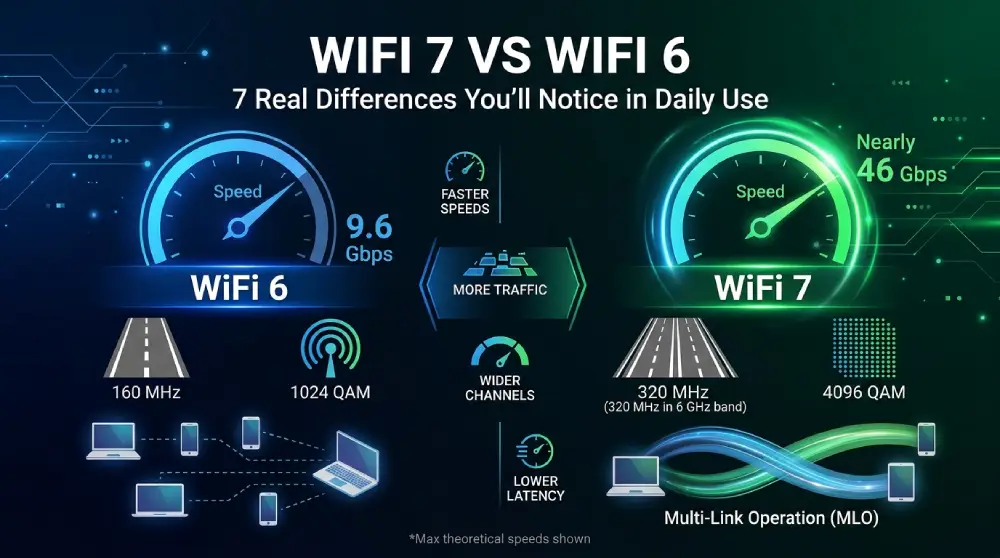
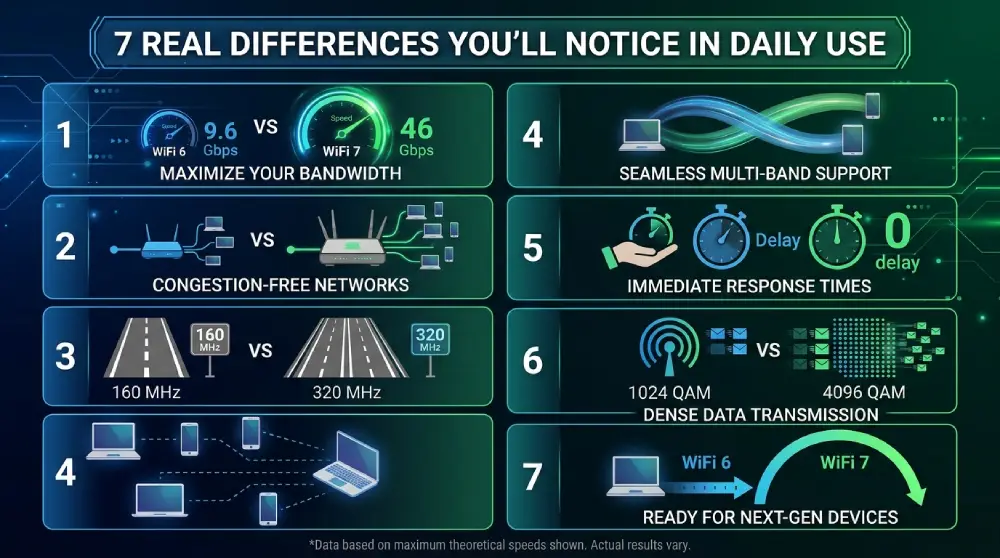
One of the biggest differences between WiFi 7 and WiFi 6 is speed. WiFi 6 supports theoretical speeds of up to 9.6 Gbps, while WiFi 7 can reach nearly 46 Gbps under ideal conditions.
These are maximum theoretical rates, not speeds every user will experience. Actual performance depends on your internet plan, router, connected devices, distance, and surrounding network activity.
Still, a WiFi 7 network can provide more capacity for demanding activities such as large file transfers, high-quality streaming, and cloud-based applications.
2. WiFi 7 Handles More Network Traffic
WiFi 6 was created to boost WiFi performance in packed environments. It brought new technologies that enable routers to communicate more efficiently with many devices that are connected to them.
WiFi 7 is an improvement on this, with wider channels and better data handling. This can be beneficial to businesses, offices and homes with dozens of devices connected to the same network.
This extra bandwidth can be beneficial for companies that employ Business WiFi, cloud software, and connected devices for video conferencing, meetings, and other purposes.
3. Wider Channels Improve Data Transfer
The channel width WiFi 6 can work with is up to 160 MHz while the channel width WiFi 7 can work with is up to 320 MHz in the 6 GHz band.
Imagine that the internet traffic travels along a road, called the wireless channel. When conditions are right, a wider road can transport more data at a time.
WiFi 7 is also helpful when you want to move large files, work with high-resolution media, or do other tasks that require high bandwidth.
4. Multi-Link Operation Can Improve Stability
One of WiFi 7’s most important features is Multi-Link Operation (MLO).
When the routers and other devices are compatible, MLO can use several frequency bands or links in a connection. This can enhance throughput, diminish latency, and guarantee more dependable connections in the event of network fluctuations.
This can help ensure a more seamless wireless experience for businesses that rely on video calls, online collaboration and cloud applications.
5. WiFi 7 Can Reduce Delays
Now, WiFi 6 has already brought satisfactory performance for basic functions, but WiFi 7 has further enhancements that can further minimize wireless latency.
The applications benefit from faster response times when using supported devices thanks to its wider channels, the MLO and data transmission efficiency.
This can be helpful for online video games, video conferencing, working remotely and more, wherever timing is essential. But there are also a number of factors to consider when it comes to overall latency, including your Internet provider and network configuration.
6. WiFi 7 Uses More Advanced Data Modulation
WiFi 7 supports 4K (4096) QAM and WiFi 6 supports 1024 QAM.
Simply put, QAM is the amount of information that can be sent in each wireless signal. When the environment is conducive to wireless connectivity, WiFi 7 will be able to carry greater amounts of data at the same time.
The enhancement will be most beneficial when devices are located near the router and the wireless signal is strong.
7. WiFi 7 Requires Compatible Devices
Not every router can support every device to achieve WiFi 7 connectivity.
For more advanced features, your device, such as a phone, laptop or other device, must also be WiFi 7 compatible. Older devices may be able to connect to a WiFi 7 compatible router, but will operate on the WiFi standard that they support.
It is crucial to be aware of this prior to planning a WiFi 7 upgrade. To make use of all the improvements, it may be necessary to replace some network equipment.
WiFi 7 vs WiFi 6: Quick Comparison
| Feature | WiFi 6 | WiFi 7 |
| Maximum theoretical speed | 9.6 Gbps | Nearly 46 Gbps |
| Maximum channel width | 160 MHz | 320 MHz |
| Modulation | 1024 QAM | 4096 QAM |
| Multi-Link Operation | No | Yes |
| Latency | Improved over older standards | Further improvements |
| Device compatibility | Supports WiFi 6 and older devices | Supports WiFi 7 and older standards |
Both are wireless networking standards designed to improve wireless performance, but WiFi 7 offers more capacity and advanced features. However, WiFi 6 for business is still a strong option.
Choosing the Best WiFi Solutions for Business
Don’t rush on to buying new equipment, ask yourself what your work needs it for.
Any Good Business WiFi solution should be reliable, secure, have sufficient capacity for employees and guests and should have space for any other device.
A professional WiFi network installation service can also help to determine the areas of poor WiFi coverage and choose the appropriate access points as well as ensuring that the network is operated correctly.
If your business has a stable and robust WiFi 6 network, you might not need to replace your network with a new one, but just improve the targeted areas.
Conclusion:
WiFi 7 vs WiFi 6: which one you choose to use will depend on how you use your network. WiFi 7 promises higher theoretical speeds, greater channel widths and better connection management, whereas WiFi 6 still provides most of the common business and home uses.
If your existing network is experiencing high traffic or is not scalable for future expansion, an upgrade to WiFi 7 might be a good choice.
Frequently Asked Questions
Is WiFi 7 better than WiFi 6?
Yes. WiFi 7 has more theoretical speeds, channels, and includes the introduction of features like Multi-Link Operation. The benefits, however, are dependent on the compatibility of the devices and condition of the network.
Is WiFi 7 compatible with older devices?
Yes. WiFi 7 routers will be compatible with older WiFi technologies, allowing older WiFi 6 and 6+ devices to connect. They won’t get any of the WiFi 7-specific features.
Do I need a new router for WiFi 7?
Yes. The advanced features of the standard can be used with a WiFi 7 compatible router or access point.
Is WiFi 7 worth it for small businesses?
It can be beneficial for companies that have significant network usage, cloud-based applications, and numerous connected devices. For smaller offices, WiFi 6 might be enough.
Does WiFi 7 improve internet speed?
It will help enhance the performance of wireless networks, but it will not increase the speed of your internet plan.
Can WiFi 7 reduce video call interruptions?
It may help by improving network capacity and connection handling. However, internet service quality and network configuration also matter.
What is Multi-Link Operation in WiFi 7?
MLO supported by compatible devices can utilize more than one wireless connection to enhance speed, reliability and latency.
Does WiFi 7 work on the 2.4 GHz band?
Yes. WiFi 7 is compatible with the 2.4 GHz, 5 GHz and 6 GHz bands, with 6 GHz being subject to a regional availability rule and equipment compatibility.
Should businesses upgrade from WiFi 6 to WiFi 7?
These may be useful for businesses with network congestion or those that are expecting an increase in connected devices. If you have a dependable WiFi 6 network, you might be able to wait for an upgrade.
What should I consider before WiFi network installation?
Take into account the size of the building, the coverage needs, the number of users, security needs, access point placement and the types of devices that the network should support.