 Blog
Small Business Networking Setup: What You Actually Need in 2026
A reliable network is essential for running a modern business. Employees depend on internet access, shared files, cloud applications, printers, video meetings, and business software throughout the day. Without a properly designed network, slow connections and frequent interruptions can affect productivity and customer service.
A good Small Business Networking setup does not have to be complicated or expensive. The key is choosing equipment that meets your current needs while leaving room for future growth. Here is what to consider when planning your network in 2026.
1. Start With the Right Business Network Setup
Before purchasing equipment, identify how your business uses technology. A small office with five employees will have different requirements from a company with several departments, servers, and customer-facing systems.
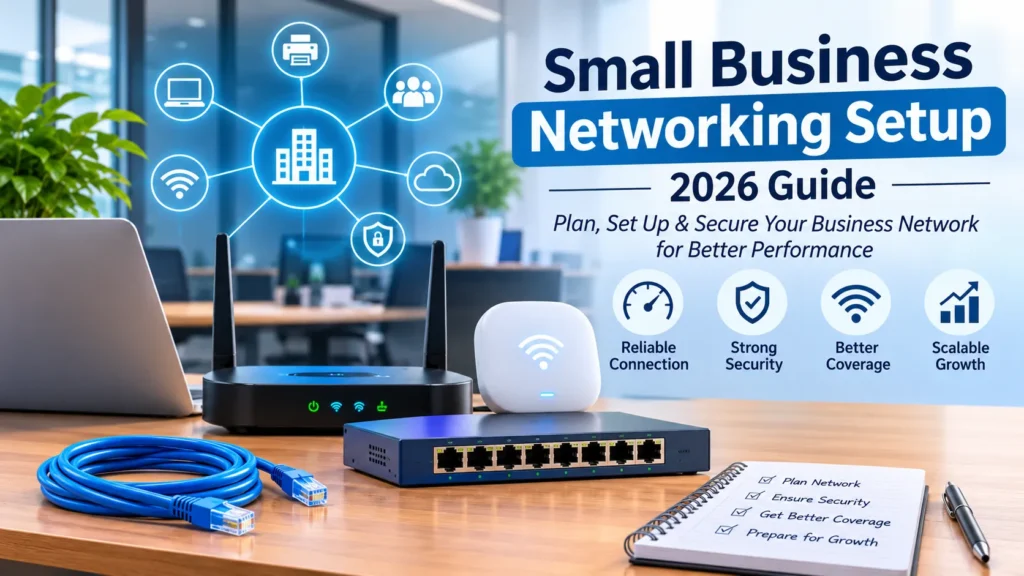
A basic Business network setup usually includes:
- Business-grade router
- Network switch
- Wireless access points
- Ethernet cabling
- Firewall and security features
- Internet connection
- Backup and monitoring tools
Consider the number of employees, connected devices, cloud applications, and areas that need network coverage. Planning these requirements first helps prevent unnecessary spending.
2. Choose Between a Wired Network and Wireless Connectivity
Most businesses benefit from combining wired and wireless connections rather than relying entirely on one option.
Wired Network
A Wired network uses Ethernet cables to connect computers, printers, servers, and other devices. It generally provides consistent speeds, low latency, and reliable connections.
Business Wi-Fi
Business Wi-Fi allows employees to connect laptops, smartphones, tablets, and other devices without physical cables. It offers flexibility for shared workspaces, meeting rooms, and mobile employees.
3. Plan Your Office Network Setup
A professional Office network setup should provide reliable connectivity throughout the workplace. Simply placing a router in one corner may leave meeting rooms, workstations, and other areas with weak signals.
Consider the following:
- Place networking equipment in a secure, ventilated location.
- Label cables and network ports for easier troubleshooting.
- Protect equipment with suitable power backup.
A properly planned layout makes maintenance easier and reduces connectivity problems.
4. Use Wireless Access Points for Better Coverage
Wireless access points extend Wi-Fi coverage across an office. They are particularly useful in larger workplaces, buildings with multiple rooms, and offices with walls that weaken wireless signals.
Instead of depending on a single router, multiple access points can provide more consistent coverage when positioned and configured correctly.
Choose access points based on office size, expected device count, wireless standards, and network management requirements.
5. Protect Your Small Business IT Infrastructure
Your Small business IT infrastructure needs security controls that protect business information and connected devices.
Start with these essential measures:
- Use strong, unique administrator passwords.
- Enable multi-factor authentication where supported.
- Keep routers, switches, and access points updated.
- Use modern Wi-Fi encryption, such as WPA3 where supported.
- Set up a separate guest network.
- Restrict access to sensitive business systems.
- Maintain firewall protection and secure remote access.
Review network permissions regularly, especially when employees join or leave the company.

6. Improve Network Reliability and Stability
Network reliability means your systems remain available when employees need them. Frequent outages, dropped connections, and slow applications can interrupt daily operations.
To improve reliability, invest in quality equipment, update firmware, monitor network performance, and replace aging hardware when necessary.
Network stability also depends on proper configuration. Avoid overloading equipment, check for faulty cables, and investigate recurring connection problems rather than relying on temporary fixes.
7. Reduce Wireless Interference
Wireless interference can affect Wi-Fi speed and coverage. Nearby wireless networks, electronic devices, physical obstacles, and poor access point placement can all contribute to connectivity issues.
You can reduce interference by:
- Positioning access points away from major obstacles.
- Selecting appropriate Wi-Fi channels.
- Using supported frequency bands effectively.
- Avoiding unnecessary overlapping access points.
- Monitoring signal strength in busy office areas.
A network assessment can help identify coverage gaps and interference sources.
8. Build Network Scalability Into Your Setup
Your network should support business growth without requiring a complete redesign. Network scalability means you can add employees, devices, workstations, and applications as requirements change.
Choose equipment with enough capacity for future needs. Consider managed switches, expandable wireless coverage, structured cabling, and cloud-based network management.
Planning ahead can reduce upgrade costs and make expansion easier.
9. Invest in Network Infrastructure Planning
Good Network infrastructure planning brings all these decisions together. It helps businesses choose suitable equipment, organize connections, establish security controls, and prepare for future changes.
Before finalizing your setup, document your network layout, equipment locations, IP addressing, access permissions, and backup procedures.
If your business lacks in-house technical expertise, an IT professional can assess your office and recommend a setup based on your budget and operational needs.
Conclusion
A successful Small Business Networking setup starts with understanding how your team works and choosing the right combination of wired connections, Business Wi-Fi, security controls, and network equipment. Prioritize reliability, stability, and scalability rather than purchasing more technology than you need.
Frequently Asked Questions
What does a small business network need?
A basic small business network generally needs a business-grade router, firewall, network switch, Ethernet cabling, wireless access points, and a reliable internet connection.
Is a wired network better than Business Wi-Fi?
Neither is universally better. Wired connections are generally more consistent for stationary equipment, while Business Wi-Fi provides flexibility for mobile devices. Most offices benefit from using both.
How many wireless access points does a small office need?
It depends on office size, layout, building materials, and the number of connected devices. A site assessment can help determine the right number and placement.
How can I improve network reliability?
Use quality equipment, maintain updated firmware, monitor performance, secure network access, and replace faulty or outdated hardware.
What causes wireless interference?
Nearby Wi-Fi networks, physical obstacles, electronic devices, and overlapping wireless channels can reduce signal quality and performance.
How much does a small business networking setup cost?
Costs vary depending on office size, equipment quality, cabling, security requirements, and installation complexity. Request an itemized estimate based on your actual requirements.
When should a business upgrade its network?
Consider an upgrade when employees experience frequent outages, Wi-Fi coverage becomes unreliable, equipment no longer receives security updates, or the network cannot support additional devices.