 Blog
Cloud Based Business Phone Systems: How to Manage Calls Across Multiple Office Locations
Managing phone calls across several office locations can be challenging. Calls may get missed, employees may struggle to transfer customers, and each branch may end up using a different phone setup.
Cloud based business phone systems make communication easier by connecting multiple offices through one internet-based phone platform. Employees can make and receive calls from different locations while using shared features, phone numbers, and call management tools.
Here’s how these systems work and how they can help your business stay connected.
What Are Cloud Based Business Phone Systems?
A cloud-based business phone system uses the internet to manage calls instead of relying entirely on traditional phone lines and on-site equipment.
Also known as a cloud based voip business phone system, it allows employees to communicate through desk phones, computers, or mobile devices.
Because the system is hosted online, businesses can manage users, phone numbers, and call settings from a central platform. This is useful for companies with multiple branches, remote employees, or teams that regularly move between locations.
1. Connect All Office Locations Through One System
When each office uses a separate phone system, communication can become complicated. Employees may need different numbers, and transferring calls between branches may not be straightforward.
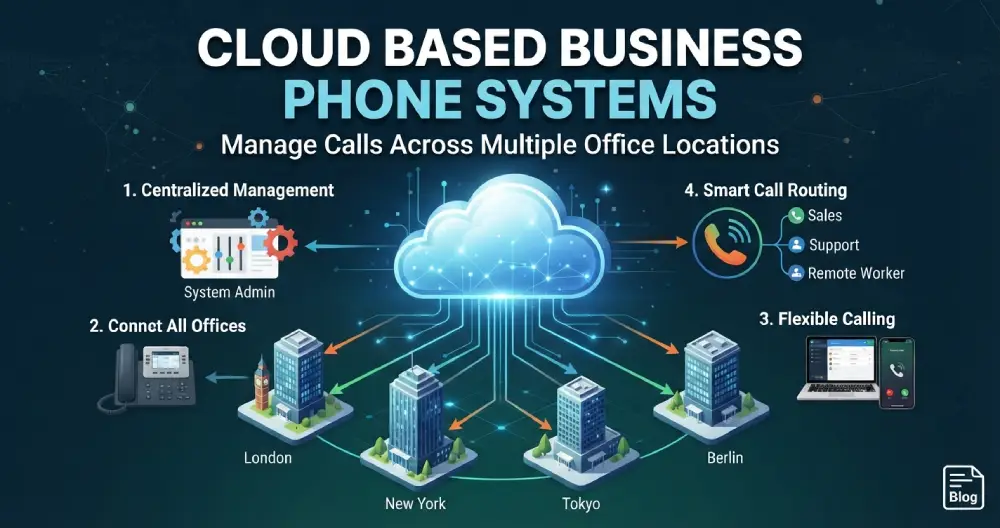
A cloud phone platform connects all locations through one network. Staff can often use internal extensions to reach coworkers at another branch without dialing their full phone numbers.
This makes cloud based business communications easier to manage and gives customers a more consistent experience.
2. Use Cloud Based Call Routing to Direct Calls
One of the most useful features is cloud based call routing. It directs incoming calls to the right person, department, or office based on your business rules.
For example, a customer calling your main number could be directed to:
- The sales team for product questions.
- Customer support for service issues.
- The nearest office based on the caller’s location.
- An available employee if the main contact is busy.
You can also set business-hour rules, holiday schedules, and backup routing to reduce missed calls.
3. Give Employees Flexible Calling Options
Employees don’t always work from the same office. Some may travel between branches, work remotely, or need to answer calls while away from their desks.
Cloud phone services allow authorized employees to use business numbers through supported mobile apps, desktop applications, or compatible desk phones.
This means staff can stay reachable without sharing personal phone numbers. It also helps businesses maintain consistent communication when employees move between locations.
4. Manage Calls and Users From One Dashboard
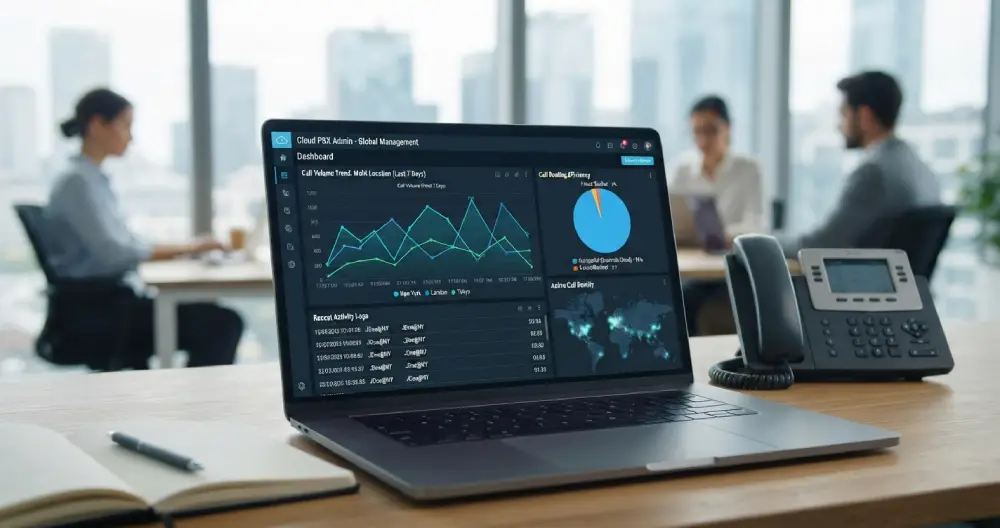
Managing several office telephone systems separately can take time. Cloud platforms often provide a central dashboard where administrators can add users, update extensions, change call settings, and manage phone numbers.
For growing companies, this makes it easier to bring new offices and employees into the same communication setup.
It also reduces the need to maintain separate systems at every location.
5. Use Cloud Based Phone Recording
Some businesses need to review calls for training, quality checks, or recordkeeping. Cloud based phone recording allows selected calls to be recorded and stored through the phone platform.
Managers may use recordings to:
- Review customer service interactions.
- Train new employees.
- Understand common customer concerns.
- Check how calls are handled across different branches.
Recording laws vary by location, so businesses should understand consent requirements and set clear policies before recording calls.
6. Choose the Right Cloud VoIP Services
Not every business has the same communication needs. A small company with two offices may need basic calling and call forwarding, while a larger organization may require advanced routing, reporting, integrations, and call recording.
When comparing cloud voip services, look for:
- Reliable call quality and uptime.
- Easy administration across multiple locations.
- Mobile and desktop calling options.
- Call queues and automated attendants.
- Integration with CRM or business software.
- Security features and access controls.
- Support and clear pricing.
The right features depend on how your teams communicate and how much control your administrators need.
7. Compare Cloud VoIP Providers Before Choosing
There are many cloud voip providers, but it’s important to compare more than just monthly prices.
Ask each provider about setup costs, per-user fees, international calling, number porting, customer support, and contract terms.
Also check whether the provider can support your internet connection and the number of employees using the system. A trial or product demonstration can help you understand how the platform works before making a decision.
Benefits of Cloud Based Phone Services for Multiple Offices
A well-managed cloud based phone service can offer several advantages:
- Centralized management: Control phone settings across branches from one place.
- Flexible working: Employees can answer calls from different locations.
- Easier expansion: Add new users or offices without installing a completely separate phone system.
- Better customer experience: Route calls to the right team and reduce unnecessary transfers.
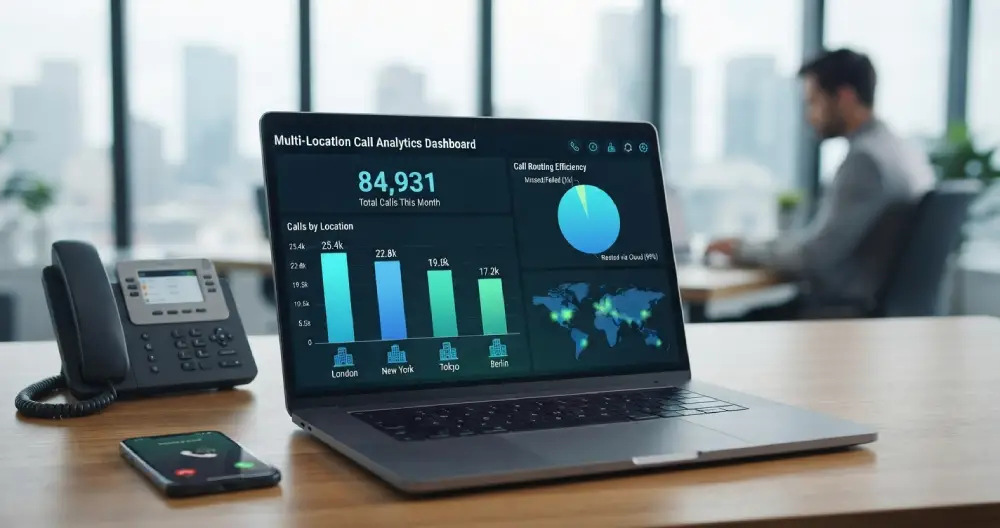
- Improved visibility: Use reporting tools to understand call activity across locations.
These benefits make cloud VoIP a practical option for businesses that want more flexible communication.
Conclusion:
Managing calls across multiple offices doesn’t have to be complicated. Cloud based business phone systems bring employees, phone numbers, and call management tools together in one platform.
By choosing suitable features, setting up clear call-routing rules, and comparing providers carefully, your business can improve communication across every location and make it easier for customers to reach the right person.
Frequently Asked Questions
How do cloud based business phone systems work?
They use an internet connection to make, receive, and manage business calls. The provider hosts the phone platform, while employees connect through compatible desk phones, computers, or mobile apps.
Can one cloud phone system support multiple office locations?
Yes. Many platforms allow businesses to connect several branches through one system. Employees can share extensions, transfer calls, and use centralized call management features.
Do cloud VoIP phone systems require special equipment?
Not always. Employees may use computers or smartphones with supported applications. Businesses can also use compatible IP desk phones and headsets.
What happens if the internet goes down?
Internet outages can interrupt VoIP calls. Some providers offer call forwarding to mobile numbers, backup connections, or other failover options. Ask about these features before choosing a service.
Is cloud VoIP suitable for small businesses?
Yes. Small businesses can use cloud VoIP to access professional calling features without maintaining a traditional on-site phone system. Pricing and available features vary by provider.
Are cloud phone systems secure?
They can offer security features such as encryption, user authentication, and access controls. However, businesses should also use strong passwords, secure networks, software updates, and appropriate account permissions.